AGENTIC SWE · ENTREPRENEURSHIP · PRODUCT MANAGEMENT
One calendar app, a lot of broken assumptions.
Vibe coding isn't one prompt and a finished product. It's a practice: knowing what you want, building it with agents, inspecting the result, and doing it again. I've been in this loop for the past two months, trying to actually understand what I'm building.
This section maps the whole thing.
Story is how it started and what I've learned.
Environment is the workflow and tools I've built around it.
Projects are the apps that came out of it.
Watched is what I'm reading right now. Everything here is still moving.
Proof of motion
What the loop produced.
Practice Volume, Product Judgment, Iteration Through Version Control.
- 3
- Product ideas advanced
- Drift, Workbench, and Augment moved from loose ideas into scoped product directions.
- 1
- Shipped MVP
- Workbench reached a working MVP with the core reflection-first assistant loop in place. Drift, soon.
- 80+
- GitHub commits in a month
- The learning showed up as repeated commits, branches, rollbacks, and rebuilds.
- MANY
- Repos Integrated or Watched
- Implemented a LOT of tools into the workflow. Even more starred for future exploration.Constantly on top of new tools.
Environment
Tuning the Dev Environment like a loadout.
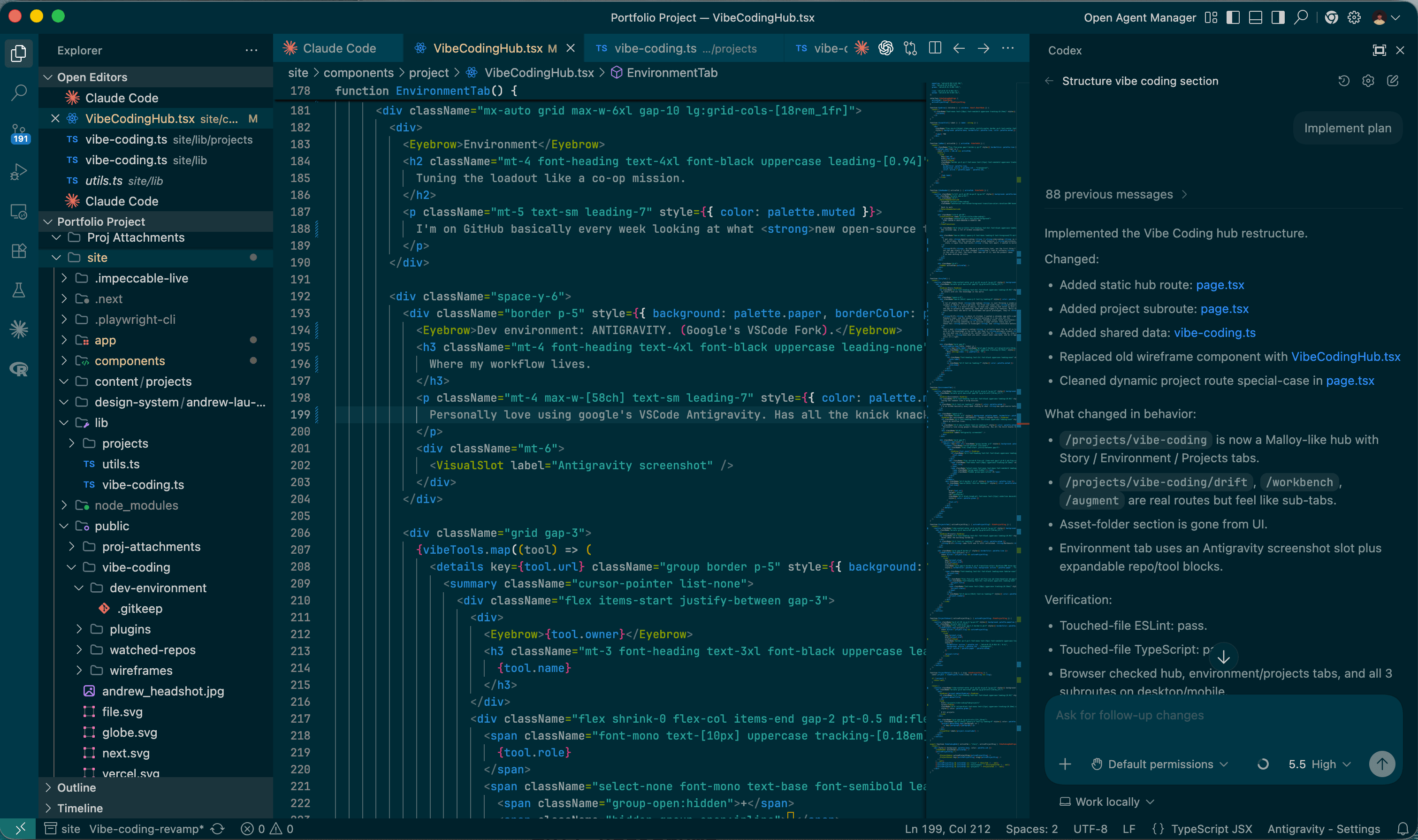
I'm on GitHub basically every week looking at what new open-source tools are dropping — new agents, MCPs, context file formats, sub-agent harnesses. Optimizing the dev environment feels exactly like how I used to play co-op games. Same instinct: what's the fastest way through the mission, what's the best setup for the current task.
Dev environment: ANTIGRAVITY. (Google's VSCode Fork).
Where my workflow lives.
Personally love using google's VSCode Antigravity. Has all the knick knacks that makes VSCode so convenient, like file Explorer, Source Control, and various extensions while also including agent integrations with Gemini.
rtk-ai
rtk
Local execution layer+−
rtk-ai
rtk
Runs commands inside the agent loop and keeps them honest. Worth it when an agent claims it ran something — this actually verifies the output.
https://github.com/rtk-ai/rtkVoltAgent
awesome-claude-code-subagents
Agent role reference+−
VoltAgent
awesome-claude-code-subagents
My go-to when I need to split up a harder task across specialized agents instead of pushing everything into one big prompt. Good mental model for the work.
https://github.com/VoltAgent/awesome-claude-code-subagentssafishamsi
graphify
Relationship extraction+−
safishamsi
graphify
Connects directly to what I'm building in Augment — turning messy input into a graph of relationships. I use it on codebases to understand structure before I start prompting.
https://github.com/safishamsi/graphifymksglu
context-mode
Context routing+−
mksglu
context-mode
Context window is a real constraint once you're doing serious agent work. This routes retrieval more precisely instead of dumping everything in at once.
https://github.com/mksglu/context-modepbakaus
impeccable
Design discipline+−
pbakaus
impeccable
Goat. The layer that keeps agent-built UIs from looking like AI-generated slop with a bunch of emojis on them.
https://github.com/pbakaus/impeccable